Mobile POS vs. Traditional POS System: What’s Really Different?
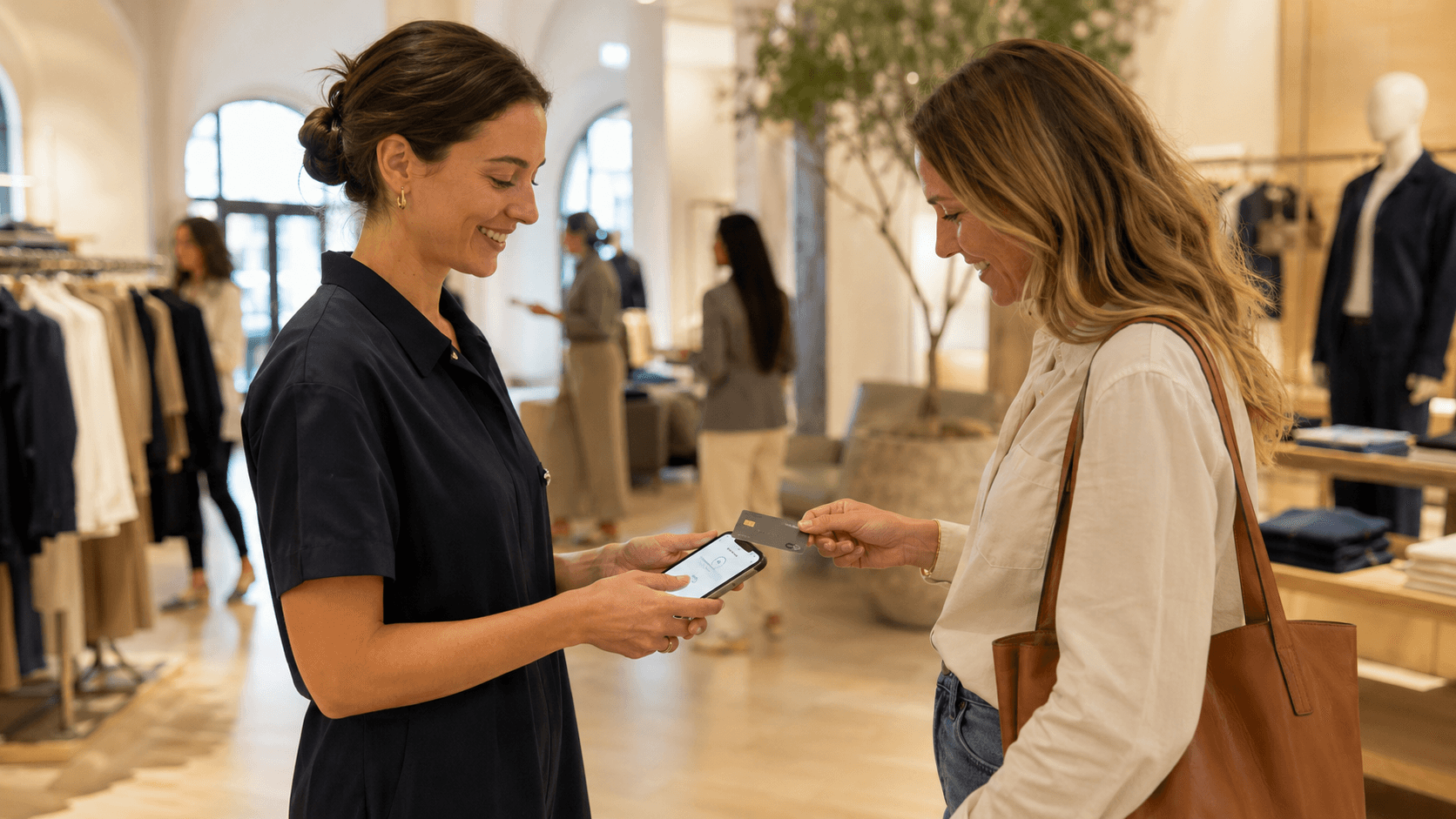
A traditional POS system and a mobile POS system can both process a transaction. The difference is what each one allows the store to do around it.
Traditional POS was built around a fixed checkout point. Mobile POS was built around associates moving through the store with the tools and information they need to sell.
For retail leaders, the choice is not simply between a countertop POS and a mobile device. It is which operating model better supports the experience their stores are expected to deliver.
What Is a Traditional POS System?
A traditional POS system is installed at a fixed location, usually a checkout counter. Customers select what they want to buy, then move to the terminal to complete the transaction.
This model remains common across retail because it is familiar, reliable, and well suited to specific operational needs.
Advantages
- Familiar to store teams and customers
- Well suited to cash handling and specialist peripherals
- Provides a clear location for returns, exchanges, and customer service
Limitations
- Ties checkout to a fixed location
- Separates the transaction from the wider selling process
- Often depends on additional systems for inventory, customer, and order information
- Can make updates and new initiatives harder to roll out across multiple stores
A fixed POS can continue to perform its core role well. The limitations become more visible when store teams are expected to support journeys that extend beyond the transaction itself.
What Is a Mobile POS System?
A mobile POS system is retail point-of-sale software designed to run on handheld devices such as smartphones or tablets. Instead of limiting POS access to a fixed terminal, it allows associates to use the system anywhere in the store.
From the same device, associates can search for products, check inventory, access customer and order information, build a basket, arrange fulfillment, and accept payment.
Advantages
- Allows associates to complete sales anywhere in the store
- Supports line busting during busy periods
- Gives teams access to product, inventory, customer, and order information
- Creates more flexibility in opening new stores and pop-ups
- Makes it easier to manage software and workflows across a multi-store network
Limitations
- Requires secure device management
- Cash-heavy or highly transactional formats may still need a counter
The main mobile POS benefits come from combining mobility with connected data and workflows.
What’s the Difference Between Mobile POS and Traditional POS?
Traditional POS | Mobile POS | |
|---|---|---|
Primary location | Fixed checkout counter | Anywhere in the store |
Offline mode | Limited | Full transactional continuity |
Core role | Complete the transaction | Support customer engagement, selling, checkout and other store operations |
Associate workflow | Associate and customer move to the terminal | Device stays with the associate throughout the interaction |
Inventory access | Often store-focused or accessed separately | Network-wide visibility |
Customer context | Often captured or accessed at checkout | Available while the associate is serving the customer |
Payments | Usually tied to fixed hardware | Can be part of the system |
Deployment | Often dependent on store-specific infrastructure | Can be configured and managed centrally |
Best fit | Structured, counter-led transactions | Assisted selling and flexible store operations |
A legacy POS was designed primarily to calculate totals, accept payment, and record what was sold in that location. A modern POS system has to support a much broader set of responsibilities. Here is where the two diverge the most.
What Associates Can Access During the Interaction
With a traditional POS, the information an associate needs sits at the counter, in the stockroom, or inside another system. Answering a question means leaving the customer to go find the answer.
A retail mobile POS puts that information in the associate’s hand. They can locate another size, use an endless aisle to find an item held elsewhere, arrange delivery, or open a customer’s purchase history without interrupting the conversation.
The difference is not the volume of data. It is whether an associate answers with certainty or with a guess, and a guess costs something either way.
How the Store Supports Cross-Channel Journeys
Customers may begin their journey online and come to the store to see a product, collect an order, exchange a purchase, or get advice before deciding.
When the POS cannot support those journeys, associates become the connection between systems. They hold the process together with workarounds, second devices, and knowledge that lives in their heads rather than in the platform. The store ends up relying on staff to bridge the gaps between systems rather than on technology built to support the work.
With modern mobile POS, store teams can support the full customer journey instead of managing only the transactions created in one location.
The customer expects the same level of recognition and service regardless of where the relationship began.
Where Store Traffic Converges
A traditional POS brings every customer to the same area.
During quieter periods, that may create no issue. During peak traffic, however, the counter can become the point where every customer journey overlaps. Even when several associates are helping customers across the floor, the number of fixed checkout positions limits how many purchases can be completed in parallel.
Mobile POS gives stores another way to manage that traffic.
Associates can complete purchases from different areas, helping reduce the concentration of customers around a few terminals. During busy periods, this can support line busting without requiring the retailer to dedicate more permanent space to checkout.
That does not mean queues disappear entirely or that every transaction should happen on the floor. It gives the store more options.
Traditional POS directs traffic toward a fixed point. Mobile POS allows checkout activity to respond more flexibly to where customers and associates already are.
How the System Operates Across Multiple Stores
Delivering premium service across one location is different from delivering it consistently across an entire store network.
A traditional or legacy POS environment may rely on local installations, different hardware configurations, and processes that have evolved store by store. Over time, associates in different locations can end up using the same system in different ways.
A centrally managed modern POS system gives retailers a more consistent foundation.
Updates, workflows, permissions, and new capabilities can be introduced across locations without rebuilding the process in every store. New associates learn the same system. Store managers work from the same operating model. Headquarters gets a clearer view of what is happening across the network.
For growing brands, that consistency becomes especially important when opening new locations or entering new markets.
The Best Choice for Premium and Luxury Retail Brands
In premium and luxury retail, the interaction is the product.
Brands in this segment invest heavily in what happens between an associate and a customer: the training, the product knowledge, the recommendation that feels considered rather than generic. That relationship is the asset, and it is built over the course of a conversation.
A fixed checkout point interrupts the conversation at the exact moment it has succeeded. The customer is handed to a queue, or to a colleague who knows nothing about the last twenty minutes. Everything the brand spent to create that interaction is set aside for the part that matters least.
This is also why associate adoption carries more weight in this segment. A system that store teams find difficult becomes something they work around, and workarounds surface in front of customers.
Fixed terminals can still serve a purpose for cash handling, high-volume checkout, or specific store formats. But they no longer need to determine how the rest of the store operates.
Designed for selling, not just transactions.
NewStore POS lets associates serve customers, check inventory, and complete the sale anywhere on the floor.
Five Signs You’ve Outgrown Your Legacy POS
Legacy POS systems don’t usually announce that they’ve reached their limits. Instead, they ask for one more workaround. One more integration. One more manual…
Jul 14, 2026
How to Build a Retail Clienteling Program That Drives Store Revenue
Clienteling is often treated as a relationship tool, but the strongest programs do more than keep customers engaged. They create a consistent way for store t…
Jul 9, 2026
What’s Possible with a Modern Retail POS?
What your associates can do in the store determines what your customers experience. A modern retail POS changes both. Traditional point of sale systems were…
Jun 25, 2026