The Cost of Standing Still: When Is It Time to Modernize Your Legacy POS?

Sticking with your legacy retail POS can feel like the path of least resistance. Postponing modernization allows you to avoid an upfront investment, a technology rollout, and disruption to store routines.
But keeping existing technology is not automatically the safer or less expensive option. Maintenance and technical debt can absorb resources needed for new initiatives, while system limitations restrict opportunities to improve operations and increase revenue. As your business priorities change, the opportunity cost of staying with your current POS can grow.
Modernization comes at a cost, but so does maintaining the status quo. Before postponing the decision again, reassess whether your existing systems support where your business is headed and the true cost of waiting another year.
Legacy Systems Drain Resources from Innovation
Maintaining your existing POS draws on the same budget and IT capacity needed to move your business forward. An IBM survey of executives found that organizations estimate 12-27% of IT spend is consumed by technical debt.
As technical debt grows, teams spend more time testing updates, resolving compatibility issues, and maintaining custom integrations. A McKinsey survey of 50 financial-services and technology CIOs found that 10–20% of technology budgets dedicated to new products was diverted to resolving technical debt. When keeping the system running takes priority, investment in new capabilities gets pushed back.
Resources absorbed by recurring maintenance could instead support improvements such as implementing buy online, pick up in-store, giving customers another way to purchase and creating additional sales opportunities.
That is the opportunity cost of technical debt. You continue paying to sustain existing technology while delaying investments that could improve operations and grow revenue.
Revisit the Reasons You Put Modernization on Hold
Budget, competing priorities, and concerns about implementation can delay a POS replacement. Revisiting the decision means looking at those concerns alongside the costs and limitations of the system you continue to run.
Keeping your current POS requires investment too. A new POS has an upfront cost, but maintenance, support, integration work, and store workarounds require ongoing spending. Include those expenses when assessing affordability, and compare both options over the same period. Otherwise, the cost of change receives scrutiny while the cost of staying put goes unexamined.
Your POS may no longer support your business requirements. New store formats, pop-ups, international expansion, and clienteling place demands on your store systems. If your POS cannot support those requirements, retaining it limits which services you can offer and how you can grow. Reassess its capabilities against what your business needs today.
Maintaining your POS can take resources from other priorities. Even when a new capability is technically possible, the work required to support existing systems can leave teams without the capacity to introduce it. Consider what your business could achieve if more of those resources were available for new initiatives.
You can replace your POS without replacing your entire technology stack. Ecommerce, inventory, and order management systems can stay in place if they still meet your business needs and can connect to the new POS. This keeps the project focused on improving store operations, with a smaller scope and fewer systems changing at once.
The reasons for waiting should be evaluated against what your business needs now. That includes the resources your current POS consumes, the capabilities it lacks, and the scope of change required to address those limitations.
Modern Retail Demands More from Your POS
Retail has continued to move forward while your POS decision has been on hold. The way customers shop, the work expected of store teams, and the capabilities available to support them have evolved. Your last evaluation may no longer reflect what customers expect or what modern technology can deliver.
Legacy POS systems were built around processing transactions at a fixed counter. Inventory, customer data, and fulfillment often sit in separate systems, leaving associates with extra steps to answer questions, locate products, or process cross-channel orders. Those limitations can mean longer waits, frustrated customers, and missed sales.
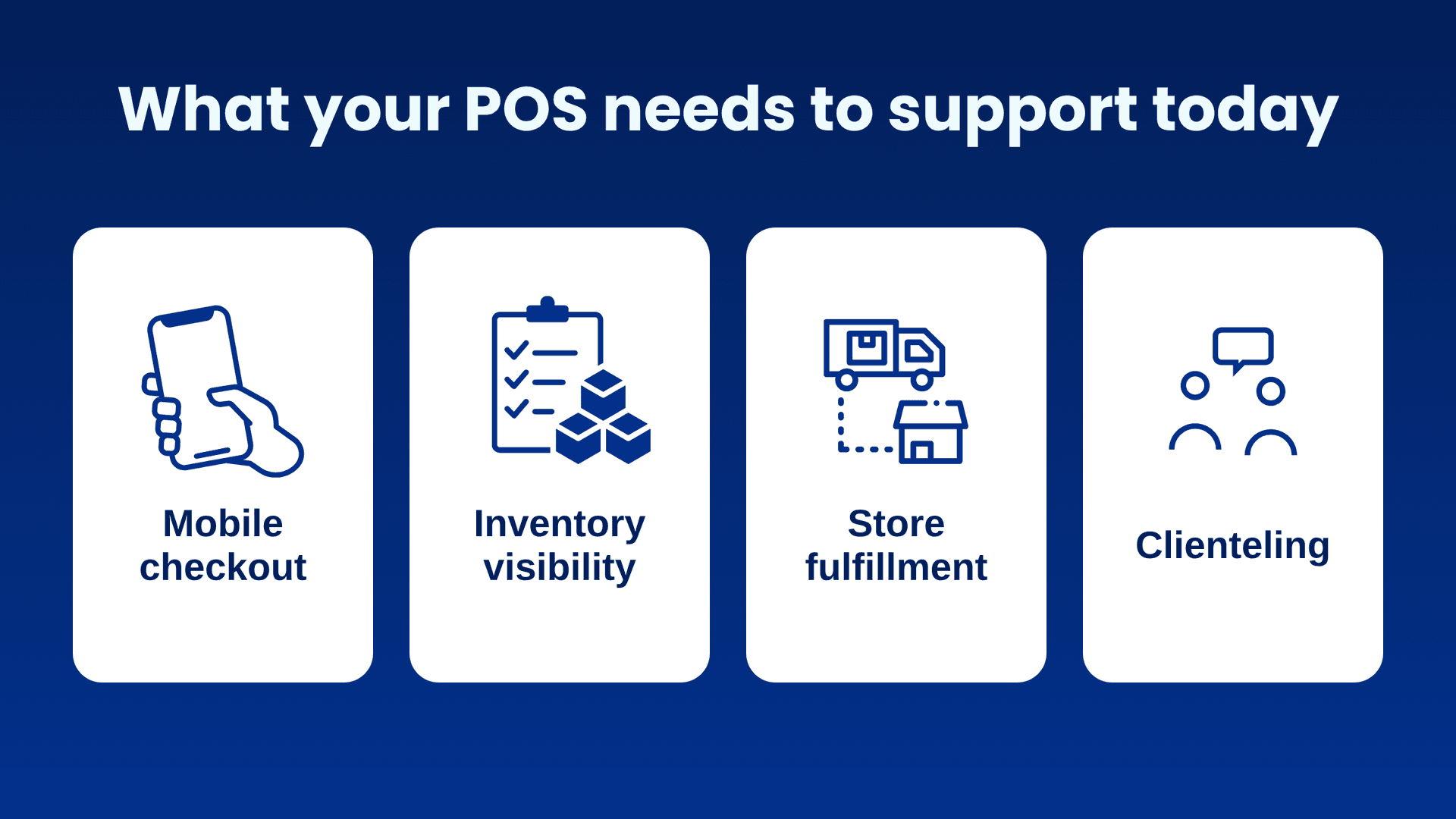
A modern retail POS brings these capabilities into a connected store experience. Mobile checkout lets associates complete purchases wherever they are helping a customer. Real-time inventory visibility allows them to locate and sell products across the network, while connected fulfillment supports pickup and ship-from-store orders.
Customer information also becomes easier to act on. Associates can use purchase history and preferences to recommend relevant products, and integrated clienteling helps them follow up after a visit. Together, these capabilities reduce time spent navigating systems and create opportunities to save sales, increase average order values, and encourage repeat purchases.
Keeping a POS that cannot support these interactions means asking store teams to work harder while leaving customers with fewer ways to buy.
When Waiting No Longer Makes Business Sense
Before you commit another year of budget to your current POS, ask what that spending will deliver. Modernization has an upfront cost, but the potential to reduce ongoing work and increase sales belongs in the same decision.
Before postponing modernization for another year, consider these questions:
- Which maintenance and support expenses will continue for another year?
- How much time do store and IT teams spend compensating for system limitations?
- Which operational improvements and revenue opportunities remain out of reach?
- Are these demands increasing as your business grows?
- What could you gain by directing those resources toward modernization?
Use your answers to assess whether your current POS still supports your business priorities or whether it is time to upgrade.
You can also calculate total cost of ownership (TCO) and return on investment (ROI) to evaluate whether modernization is worth the investment. When calculating TCO, assess the costs of keeping your current POS and implementing and operating a replacement over the same period. Then calculate ROI to assess whether the expected savings, productivity improvements, and additional revenue justify the investment in modernization.
Modernization Has a Cost. So Does Waiting.
Modernization requires investment and planning, but maintaining systems that no longer support your business efficiently consumes budget and staff time without resolving the limitations holding you back. Each year extends those costs and delays opportunities to improve performance.
Keeping your current technology may be appropriate in some circumstances, but that decision should be carefully weighed against its full cost and ability to support your priorities.
Your store systems should help you grow, with more resources available for improving your business and fewer absorbed by maintaining outdated technology. NewStore’s modern, cloud-native POS helps you reduce complexity and adapt to changing needs. Pre-built integrations and a structured implementation approach support faster deployment, helping you move forward and focus investment on new opportunities.
To evaluate the costs and opportunities behind that decision, download the TCO eBook for the complete cost framework.
Understand the Cost of Delaying odernization
Explore the costs, technical debt, and revenue opportunities behind your next retail technology decision.

Five Signs You’ve Outgrown Your Legacy POS
Legacy POS systems don’t usually announce that they’ve reached their limits. Instead, they ask for one more workaround. One more integration. One more manual…

How to Replace a Legacy POS Without Replacing Your Entire Stack
You can replace a legacy POS without replacing your whole stack. Learn what your current POS really costs, three migration paths, and where to start.